
No products in the cart.
11%
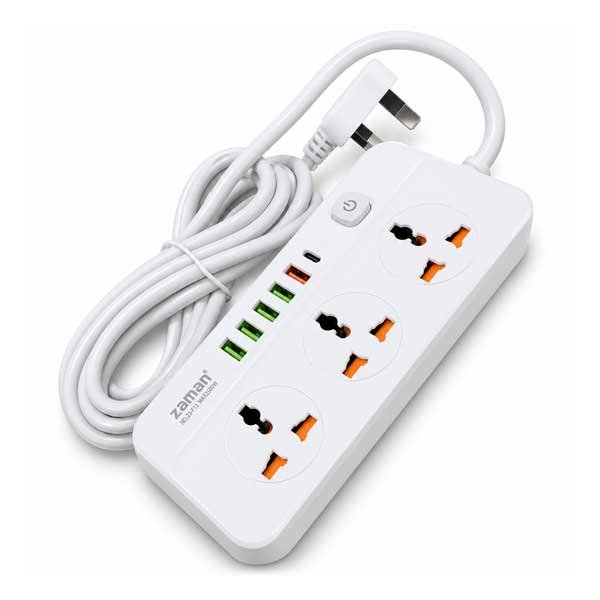
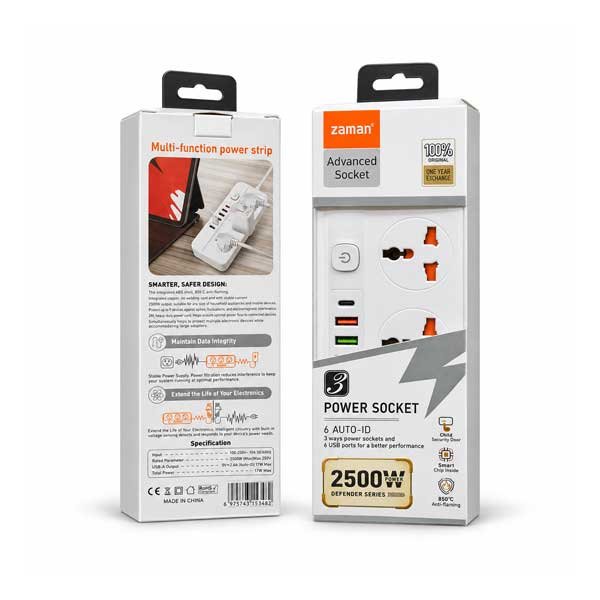
Zaman Brand 3-Way Advance Power Socket with 5 USB Ports & 1 Type-C Port – 2500W | Powerful Connectivity, Effortless Organization
or 3 X රු1,293 with 


In stock
- Three AC outlets for compatible mains devices.
- Five USB ports for compatible charging cables and accessories.
- One separate Type-C port for USB-C connections.
- 2500W maximum rated mains load.
- Built-in USB ports leave AC outlets free for plug-in devices.
- Practical for desks, study areas and home entertainment setups.
- Do not exceed the rated power limit of 2500W.
- Keep away from water and excessive moisture.
- Avoid overloading the outlets.
- Do not use if the cable, plug, or socket is damaged.
- Check device voltage and charging requirements before use.
Description
Zaman Brand 3-Way Advance Power Socket with 5 USB Ports & 1 Type-C Port – 2500W
The Zaman Advance Power Socket brings plug-in power and USB charging together. This Three Outlet Strip gives compatible mains devices their own connections. It also works as a USB Charging Strip with five USB ports and a dedicated Type C port. The Type C Power Strip is a practical choice if you need a 2500W Extension Socket for a shared workspace.
Three AC outlets give you room for a small group of devices that normally sit together. At a desk, for example, you can connect a compatible monitor and lamp and leave the third outlet available for an occasional accessory.
The five USB ports give you another way to connect compatible accessories without occupying those AC outlets with individual wall adapters. That can make a difference when the same corner serves as both a work area and a charging spot.
The separate Type-C port is useful when one of your regular charging cables has a USB-C connector at the power end. Check both ends of your cable: a phone with a USB-C port may still use a cable with a different connector at the other end.
What makes this Advance Power Socket practical is the mix of connections. You can keep the desk lamp on an AC outlet, give your phone a charging cable of its own, and leave another cable ready for compatible earbuds.
For a study desk, the strip can help keep charging leads close to the devices they belong to. Leave the cable ends where you can reach them so you can plug in a phone or accessory without searching behind the desk.
A shared home office may benefit from a similar layout. Keep the leads for equipment that rarely moves together, then route the cables you use throughout the day toward the front or side, where they are easier to reach.
In a living room, the USB Charging Strip can give compatible rechargeable accessories a consistent place to charge. A controller or pair of headphones is easier to find when its cable has a regular spot near the entertainment area.
On a side table, the same arrangement works for a reading lamp and compatible personal electronics. Set the strip on a dry, open surface and keep the connections easy to reach so you can swap cables without shifting furniture.
When comparing charging options, check the power requirements of the devices you use most. A Type-C connector describes the shape of the port. If a device needs a specific wattage or charging standard, check the output rating on the product label.
The 2500W figure is the maximum rated mains load for the 2500W Extension Socket. It does not describe the output of the USB ports or the capacity of each individual AC outlet. Check your equipment ratings before connecting devices.
Plug the strip directly into a compatible wall outlet and keep the combined load within its rating. If a device’s instructions call for a direct wall connection, follow those instructions and reserve the strip for your other compatible equipment.
It also helps to consider the size of the plugs you use. A bulky adapter can take up space beside its outlet, so look at the shape of your plugs when planning which connections to use for permanent equipment.
Start with the devices you use most often and decide which ones need mains power and which can connect by USB. This makes it easier to reserve the AC outlets for the equipment that needs them and organize the smaller charging leads.
If your setup changes from day to day, leave one compatible connection available for the device you bring in and out of the room. That way, adding a charging cable or plugging in an accessory does not mean rearranging the entire desk.
The Zaman strip is a useful fit when your space needs both mains outlets and more places to connect charging cables. Its combination of three AC outlets, five USB ports and one Type-C port gives you options for work, study and everyday charging in one place.
| Specification | Details |
|---|---|
| Brand | Zaman |
| Product Type | 3-Way Advance Power Socket |
| AC Outlets | 3 |
| USB Ports | 5, plus 1 separate Type-C port |
| Type-C Ports | 1 |
| Maximum Rated Mains Load | 2500W total |
| Package Dimensions (cm) | 24.13 × 10.92 × 5.84 cm |
| Package Weight (kg) | 0.526 kg gross |
Additional information
| Weight | 0.526 kg |
|---|---|
| Dimensions | 24.13 × 10.92 × 5.84 cm |
Related products
16%

Clear High Pressure Washer YLQ4430C-100B | 1400W Powerful Cleaning Solution with Auto Stop Function
Original price was: රු25,950.රු21,900Current price is: රු21,900.Credit Card Instalments from Rs. 450.62/month
15%
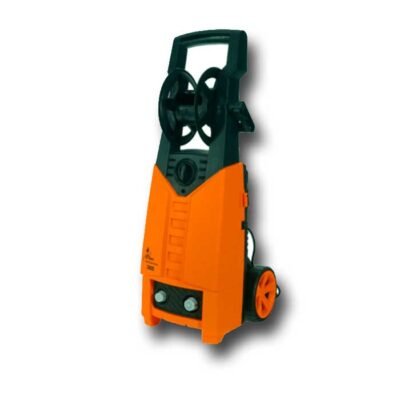
Clear High Pressure Washer 140bar 1800W – YLQ5450C | Powerful & Efficient Cleaning for Home and Vehicles
Original price was: රු42,950.රු36,900Current price is: රු36,900.Credit Card Instalments from Rs. 759.26/month
10%

DITEC 1800W High Pressure Washer 140Bar – LT501-1800B | Powerful Cleaning for Brilliant Results
Original price was: රු35,900.රු32,490Current price is: රු32,490.Credit Card Instalments from Rs. 668.52/month
20%

OREL 13 Amp Trailer Socket with 3m Wire & Fused Plug Top | Reliable & Premium Heavy-Duty Extension Socket
Original price was: රු7,485.රු5,990Current price is: රු5,990.16%
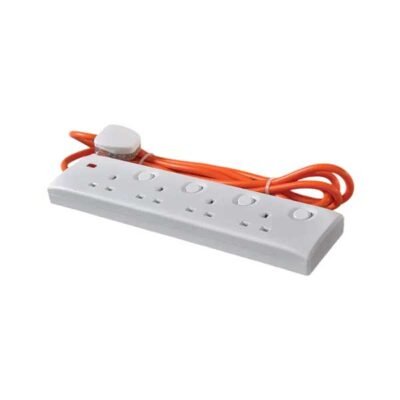
OREL 13 Amp Trailer Socket with 7m Wire & Fused Plug Top | Ultimate Convenience for Effortless Power Access
Original price was: රු9,990.රු8,490Current price is: රු8,490.25%

Geepas 7W Rechargeable LED Flashlight – GFL3858 | Powerful Bright Reliable Lighting Performance
Original price was: රු16,500.රු12,500Current price is: රු12,500.Credit Card Instalments from Rs. 257.20/month